
Nest
Nest Labs Inc.Lifestyle
3.8130.69K Reviews
- Version
- 5.88.0.2
- Installs
- 10.00M
- Age Rating
- Everyone
Screenshots
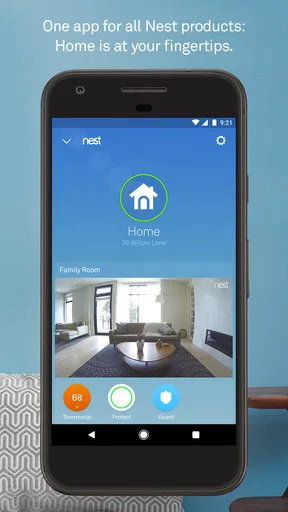
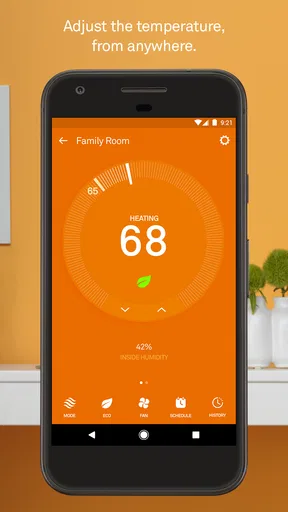
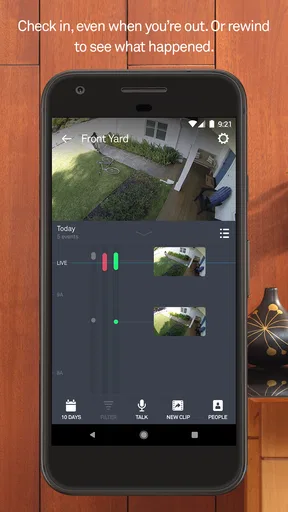
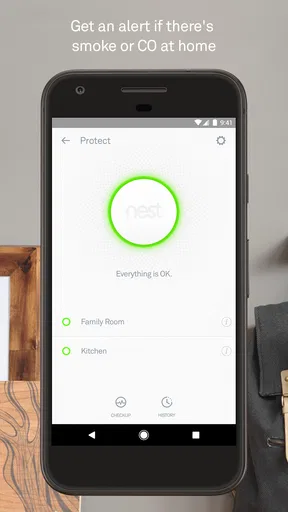
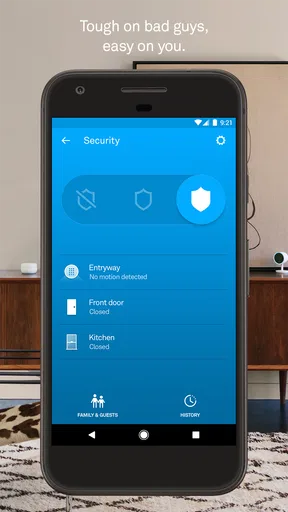
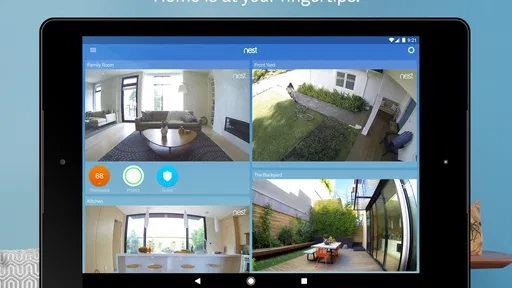
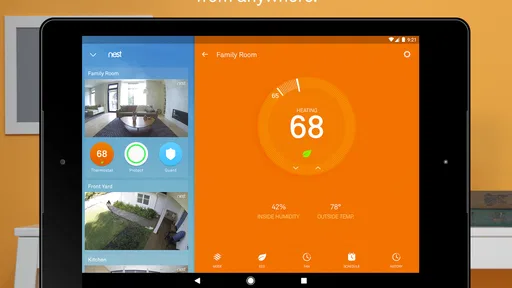
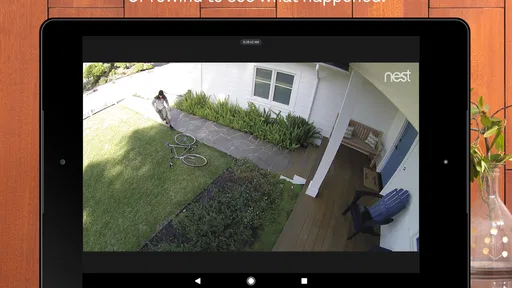
Our Review of Nest
 Analysis by Appyee
I approached Nest as a practical home-control app rather than as another lifestyle download. Its promise is simple: put the home in your hand. In everyday use, that means bringing compatible Nest devices and their information into one place, so checking what is happening at home feels less scattered than switching between separate tools. The app is free, aimed at everyone, and developed by Nest Labs Inc., but the real question is not whether it costs anything to install. The real question is whether your home already fits the Nest way of doing things.
That distinction matters. If you already use Nest hardware, this app can become a useful daily control point. If you are starting from scratch, it is better to think about the wider device ecosystem and your preferred smart-home habits before committing. I found the app most convincing when I treated it as a companion to a connected home, not as a standalone utility that can transform an ordinary home without compatible equipment.
How I would decide whether Nest belongs on your phone
My first decision criterion is compatibility with the devices you actually own or plan to buy. Nest is not a general remote control for every smart product in a house. Its value depends on having supported Nest equipment and being comfortable managing that equipment through one account and one app. That makes the installation decision more deliberate than downloading a weather app or a simple shopping tool.
The second criterion is how much attention you want to give your home. Some people want a quick way to check a device, adjust a setting, or review an alert. Others want a broad smart-home system with products from many manufacturers and a single automation platform. Nest suits the first group particularly well, while the second group should compare ecosystems before making a long-term choice.
I also look at clarity. A home app should help me answer ordinary questions quickly: Is everything behaving normally? Do I need to respond to something? Can I change a setting without searching through several menus? Nest generally makes sense when the phone is used as a companion to a familiar home routine. It is less attractive if you expect every screen to explain the whole smart-home landscape or if you rarely need to check your devices remotely.
The app is listed in the Lifestyle category, which is a fair description. It is not a productivity planner disguised as a home tool, and it is not entertainment. Its purpose is tied to the comfort, awareness, and management of a connected living space. That focus helps keep the experience understandable, although it also means the app has limited value for someone without Nest-related equipment.
The everyday scenario where it makes the most sense
Imagine leaving home in a hurry and later wondering whether something needs attention. Instead of physically returning or relying on memory, I would open the app and review the current state of the connected devices associated with my home. If an alert appears, I can decide whether it is urgent, something to handle later, or simply information worth noting. That small interaction is where a home app earns its place: not through constant use, but by reducing uncertainty at the right moment.
Another useful routine is checking the home before going to sleep. I can use the app as a final glance at the devices I care about, rather than walking through every room just to confirm that everything is as expected. This is especially helpful for people who travel, work irregular hours, or manage a home shared with family members. The benefit is convenience, but the deeper benefit is a clearer mental picture of the home when I am away from it.
There is a trade-off here. Remote awareness can be reassuring, but it can also encourage unnecessary checking. I would recommend setting a simple routine instead of opening the app repeatedly throughout the day. The app works best when it supports a decision or a habit, not when it becomes another source of notifications and small distractions.
What the current app details suggest
Nest has been available since June 17, 2015, so it is not a brand-new experiment. The current version is 5.88.0.2, and the minimum operating-system requirement is version 9. That gives the app a fairly broad reach among users with older supported mobile devices, although anyone using an older phone should still pay attention to how smoothly modern home apps run on it.
Its scale is also notable: it has passed ten million installs, with an average rating of 3.8 from around 447 thousand ratings and about 131 thousand written reviews. I read that combination as a sign of a widely used app with a mixed everyday experience rather than a universally effortless one. A rating in that range does not make Nest a poor choice, but it does remind me that setup, device compatibility, account behavior, and individual expectations can strongly affect satisfaction.
Because it is free to download and carries an Everyone content rating, the barrier to trying the app is low. That does not remove the practical cost of building a compatible smart home. Hardware decisions, account setup, and learning a new routine can matter more than the download itself. I would therefore judge the app together with the devices it is meant to operate, not in isolation.
Where Nest wins, and where the experience needs patience
I find Nest most rewarding when it solves a real home-management question, not simply because a new app is interesting to explore. In the first week, the appeal is having a familiar place to check compatible devices and get oriented; the more important test is whether that convenience becomes a calm, repeatable habit. I’d judge its staying power by how well it fits ordinary routines, then consider what upkeep and attention it asks for.
A focused home view is easier than a pile of separate controls
The clearest strength is concentration. When the app supports the devices in my home, I do not need to remember which manufacturer made each product or where I last placed a physical control. The phone becomes a familiar starting point for checking the home. That is a meaningful advantage over a collection of unrelated device apps, especially for people who value a consistent routine more than endless customization.
I also appreciate the psychological simplicity of having a dedicated home companion. A general smart-home platform may offer broader compatibility, but broader does not always feel simpler. Nest’s identity is easier to understand: it is connected to the Nest environment and the home devices that belong there. For a household already invested in that environment, this focus can reduce the number of decisions made during ordinary use.
The strongest reason to choose Nest is continuity between your existing home devices and the phone you already carry. That continuity is more valuable than a long feature list when the main task is checking the home quickly. If your needs are modest and your equipment fits, the app can feel less like a technical project and more like a normal part of the day.
Use the app as a decision layer, not just a remote
A less obvious way to get more from Nest is to treat alerts and status information as prompts for decisions. I would not open the app simply to browse. I would use it to answer a specific question: do I need to act now, change a setting, contact someone at home, or leave the situation alone? This approach keeps the app useful without making it the center of my attention.
For a shared household, it also helps to agree on what each person is expected to do when an alert appears. One person might monitor the home while another handles physical follow-up. Without that agreement, multiple people may check the same notification or assume someone else has responded. The app cannot solve that household communication problem, but a clear routine can make its information much more useful.
Where friction appears
The main limitation is dependence on the surrounding ecosystem. A free app can still lead to a meaningful investment if you need compatible devices before it becomes useful. Someone who wants to mix products freely may find that a broader platform is a better starting point. Nest is strongest as part of a coherent setup, not as a universal bridge between every smart product.
There is also a learning curve whenever a home moves from physical controls to app-based control. Even a well-organized interface cannot remove questions about who should receive alerts, which settings should be changed, or what to do when a device behaves unexpectedly. I would expect to spend some time establishing a sensible routine rather than assuming the first launch will produce a perfectly organized home.
Another practical weakness is that phone control can feel less immediate than a dedicated physical action for very simple tasks. If I am standing beside a device and already know exactly what I want to do, reaching for the phone may be unnecessary. Nest earns its place when I am away from the device, checking several parts of the home, or responding to information that I could not obtain by looking around the room.
Three habits that make the experience better
- Start with the home routine, not the app menu. Decide which moments matter most, such as leaving, arriving, or going to bed, then organize your use around those moments instead of exploring every option without a purpose.
- Separate awareness from action. A notification may tell you that something deserves attention, but it does not always mean you should change a setting immediately. Confirm the situation before making a remote adjustment.
- Keep a backup habit for important checks. For anything that affects safety or comfort, use the app as an additional way to stay informed rather than assuming a phone screen replaces all physical checks and household communication.
These habits sound simple, but they address a common smart-home mistake: confusing more remote access with better control. Nest is more useful when it reduces uncertainty and supports a routine. It is less useful when every possible status update becomes a reason to intervene.
When another type of app may fit better
If your priority is broad compatibility across many brands, I would compare Nest with a platform designed around a wider collection of smart-home products. I am not saying that a broader platform will automatically be easier or better. It may offer more flexibility while also adding more setup decisions and inconsistent controls. The right choice depends on whether you value a focused ecosystem or the freedom to assemble products from different sources.
If your home contains only one simple smart device, the manufacturer’s basic control app may be enough. In that situation, moving into a larger home-management environment can feel unnecessary. Nest becomes more compelling as the number of relevant devices and household routines grows, because a central place matters more when there is more to check.
People who prefer voice-first control should also think about how often they want to use a screen. Nest can be useful for reviewing information and making deliberate changes, but someone who wants to operate the home mainly through spoken commands may prefer a setup centered on a voice assistant. That choice is not about which approach is universally superior. It is about whether you prefer visual confirmation or hands-free interaction.
Privacy-conscious users may also want to consider the comfort of placing home information inside a connected ecosystem. I would read the relevant account and device settings carefully and choose only the level of monitoring that feels appropriate. The app may be convenient, but convenience should not push you into enabling every available form of remote awareness.
Who should skip Nest?
I would skip it if I do not own compatible Nest equipment and have no clear plan to add any. Installing a home-control app without the matching environment is unlikely to create value by itself. I would also look elsewhere if my main goal is to combine a constantly changing collection of brands under one neutral control layer.
I would be cautious if I dislike account-based services, phone-dependent routines, or notifications about the home. A physical control or a smaller dedicated tool may feel calmer. Likewise, people who want advanced automation as their primary hobby may prefer a platform built around extensive customization rather than a focused companion experience.
On the other hand, I would recommend giving Nest a serious look if I already use Nest devices, want one familiar place to check them, and prefer a straightforward home routine over a highly technical setup. Families, frequent travelers, and people who want reassurance while away are the most natural audience, provided they are comfortable with the ecosystem.
The real cost of switching
Switching to Nest is not just a matter of installing a free app. The first cost is attention: learning where information appears, deciding which alerts matter, and agreeing on household responsibilities. The second is commitment to a device ecosystem. If I later decide that a different platform suits me better, changing apps may be easy, but changing the connected equipment and routines around it can be less convenient.
That is why I would test the workflow before expanding the setup. I would begin with the devices and situations that solve a real problem, use the app during normal days and while away, and then decide whether the experience genuinely saves time. This approach prevents the common mistake of buying or configuring more connected equipment before knowing whether the central routine feels natural.
I would also avoid judging the app after one brief session. Home software is experienced through repeated moments: a late notification, a forgotten setting, a check from outside the house, or a question from another member of the household. Those moments reveal whether the app is dependable and understandable for your specific routine. A short trial focused on real situations is more informative than simply browsing its screens.
For users moving from separate manufacturer apps, the benefit is potentially less fragmentation. For users moving from a broad smart-home platform, the trade-off may be reduced flexibility. For users moving from no app at all, the gain is remote awareness, but the new responsibility is deciding how much attention the home should demand. Nest is worth choosing only when that exchange feels favorable.
My recommendation after weighing the trade-offs
I recommend Nest to people who already live in, or are intentionally building, a Nest-centered connected home. Its free entry, Everyone rating, long availability, and large user base make it approachable, while the focused design can be more comfortable than juggling unrelated controls. In my experience, its best quality is not novelty. It is the way it can turn scattered home checks into one repeatable phone routine.
I would not recommend it as a default choice for every smart-home owner. If brand flexibility, deep cross-platform automation, or minimal dependence on a phone matters most, another category of app may fit better. If there is no compatible hardware, the installation is unlikely to justify itself. Those are not small exceptions; they define whether Nest is useful or merely present on the device.
My practical advice is to decide based on three questions. Do the devices in your home belong comfortably in the Nest ecosystem? Will remote status or control solve a problem you actually have? Are you willing to establish sensible alert and household routines? If the answer to all three is yes, I think Nest is a reasonable Lifestyle app to try and a potentially valuable daily companion.
If the answers are uncertain, start slowly and judge the app by the moments that matter rather than by the number of controls it places on a screen. Nest works best when it quietly helps me understand and manage the home, then gets out of the way. That makes it a good choice for focused convenience, but not the universal smart-home answer.
Verdict
Strengths of Nest
- Simple, intuitive interface for managing smart home devices.
- Works with a wide range of compatible cameras, thermostats, and doorbells.
- Useful activity alerts help you monitor your home remotely.
- Supports multiple household members with personalized access.
- Video history makes it easier to review important events later.
Limitations of Nest
- Many advanced features require a paid Google Home subscription.
- Some devices need a strong Wi-Fi connection for reliable performance.
- Older Nest products may have limited support in the newer app.
- Privacy-conscious users may dislike cloud-based video storage.
- Notifications can occasionally arrive late or feel overly frequent.
Similar Picks in This Category
View All
SmartThings
Samsung Electronics Co., Ltd.4.6

Google Home
Google LLC4.0

Pinterest4.2

Astrotalk - Talk to Astrologer
Astrology & Horoscope4.7

My Verizon
Verizon Consumer Group4.5

Samsung Wallet (Samsung Pay)
Samsung Electronics Co., Ltd.4.1
Frequently Asked Questions
What is Nest, and what can I use it for?
Nest is Google’s smart-home platform for managing compatible devices such as cameras, doorbells, thermostats, speakers, displays, locks, and alarms. After installing the app, you can view live camera feeds, receive activity alerts, adjust your thermostat, control routines, and manage household members. The exact features available depend on your device model, region, Google account, and active subscriptions.
Is the Nest app free to download and use?
The Nest app is generally free to download, and many basic controls do not require a separate payment. However, some advanced services may involve additional costs. For example, certain camera history, intelligent alerts, and extended video-storage features can require a Google Home or Nest Aware subscription. You should check the current pricing and supported features in your country before purchasing hardware or subscribing.
Does Nest work with both Android and iPhone?
Yes, Nest services are available on Android and iOS through Google’s smart-home applications, although the exact app experience can vary depending on the product and its generation. You need a compatible smartphone, a Google account, and a stable internet connection for most functions. Older Nest products may still require the separate Nest app, while newer devices are commonly managed through Google Home.
Does Nest require Wi-Fi or an internet connection?
Most Nest devices depend on Wi-Fi and an internet connection for setup, remote access, notifications, cloud video features, and communication with Google’s servers. If your internet connection fails, some devices may continue performing limited local functions, but live viewing and remote controls can be unavailable. A reliable router, strong wireless coverage, and sufficient upload speed are especially important for cameras and doorbells.
Is Nest safe for privacy and home security?
Nest includes account security options, device permissions, encrypted connections, and settings that let you control notifications, camera access, and household members. Nevertheless, no connected-home system is completely risk-free. Use a strong, unique Google password, enable two-step verification, review shared users regularly, update the app and firmware, and carefully consider where cameras and microphones are installed before using the system.
